Download Aadhaar: How to Download Aadhaar Card Online?
Aadhaar is an important identity document issued by the Unique Identification Authority of India (UIDAI). It is commonly used for banking, mobile connections, government schemes and various other services. If you have enrolled for Aadhaar or updated your details, you do not need to wait for the physical card. You can Download Aadhaar online through the UIDAI portal and access your e-Aadhaar PDF.
The e-Aadhaar is a digitally signed electronic copy of your Aadhaar and is equally valid as the physical version. In this guide, you will learn how to download it using your Aadhaar Number, Enrolment ID, Virtual ID and official mobile applications.
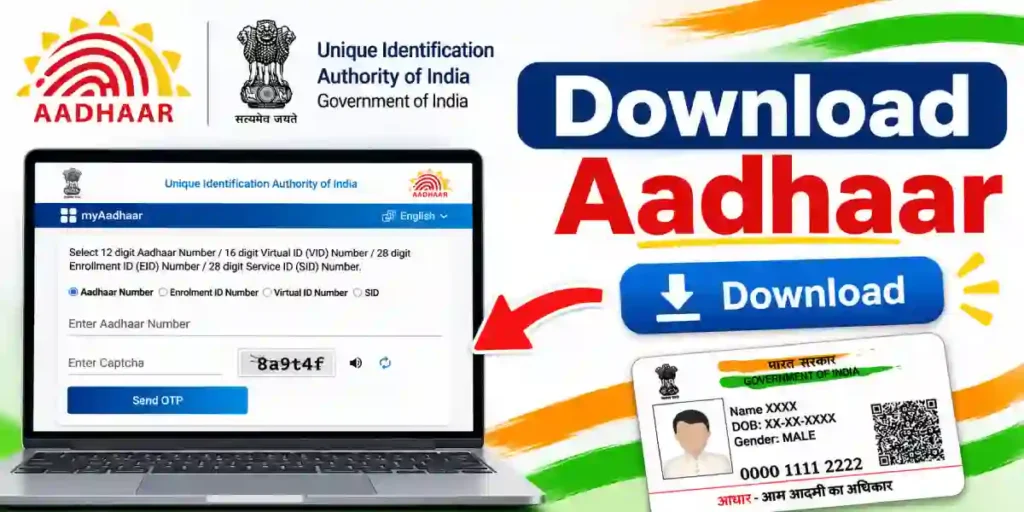
How to Download Aadhaar Online?
UIDAI provides different options to download your e-Aadhaar. You can use any of the following details:
- Aadhaar Number (UID)
- Enrolment ID (EID)
- Virtual ID (VID)
You can also access Aadhaar through official platforms such as the mAadhaar app and DigiLocker.
Important: To download e-Aadhaar online, your mobile number should be registered with Aadhaar because an OTP is required for verification.
Download Aadhaar Using Aadhaar Number or Enrolment ID
Follow these steps to download your Aadhaar PDF through the official UIDAI website:
Step 1: Visit the UIDAI official website.
Step 2: Open the My Aadhaar section and select the Download Aadhaar option. You can also visit the direct UIDAI download page.
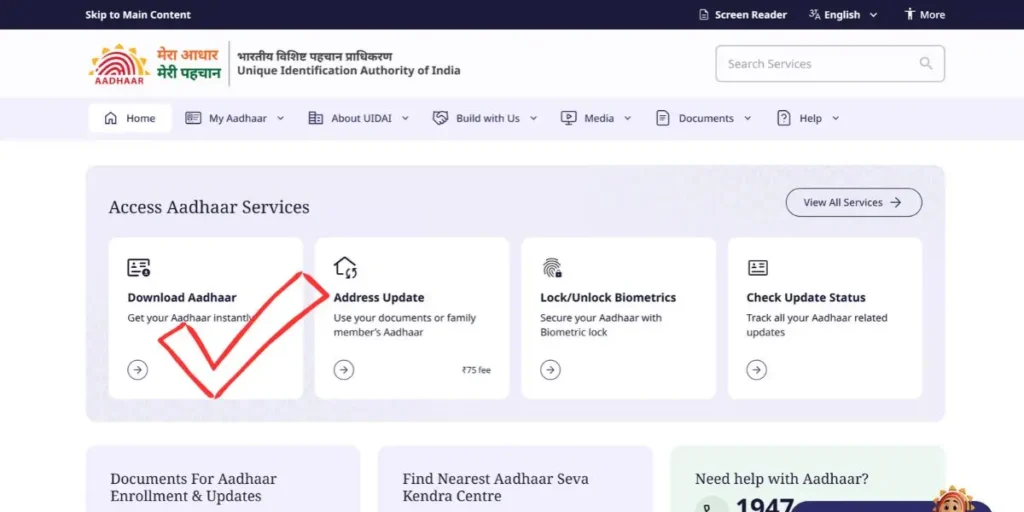
Step 3: Select Aadhaar Number or Enrolment ID and enter the required details.
Step 4: Enter the captcha code and click on Send OTP.
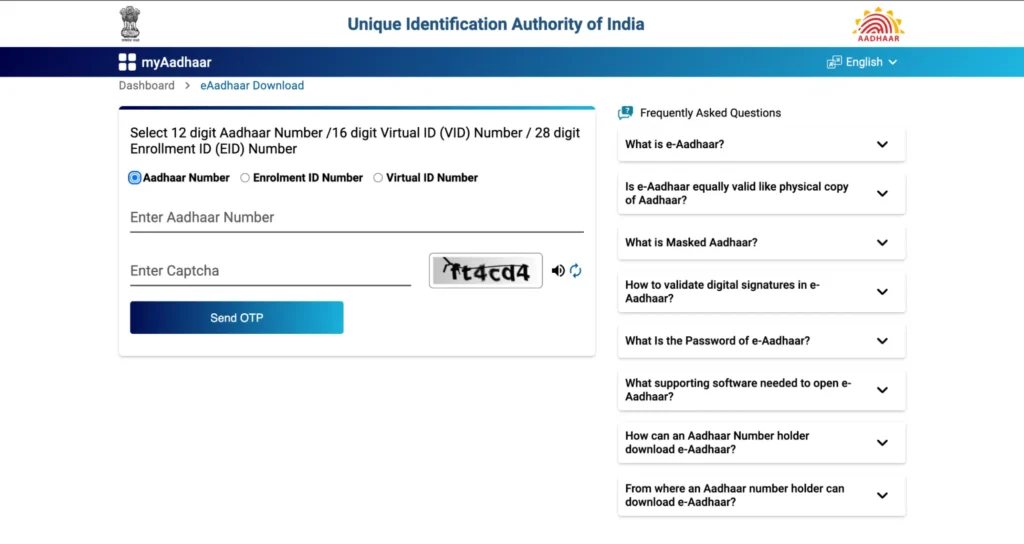
Step 5: Enter the OTP received on your registered mobile number to complete verification. Select the Masked Aadhaar option if you want to hide the first eight digits of your Aadhaar number.
Step 6: After successful verification, download your e-Aadhaar PDF.
The downloaded PDF is password-protected. To open it, enter the first four letters of your name in capital letters, followed by your birth year.
Example: If your name is ARJUN and your birth year is 1999, the password will be ARJU1999.
Download Aadhaar Using Name and Date of Birth
If you have forgotten your Aadhaar Number or Enrolment ID, you can retrieve your details through the UIDAI website.
Follow these steps:
- Visit the UIDAI official website.
- Open the Retrieve Lost or Forgotten EID/UID service.
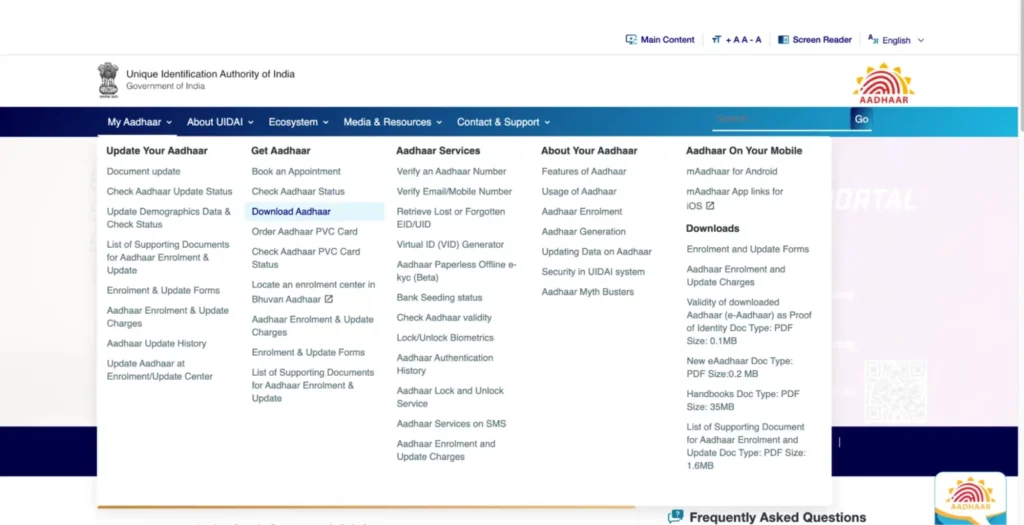
- Select Aadhaar Number (UID) or Enrolment ID (EID).
- Enter your name as registered with Aadhaar.
- Provide your registered mobile number or email address.
- Enter the captcha and request an OTP.
- Verify the OTP to retrieve your Aadhaar Number or Enrolment ID.
You can then use the retrieved details to Download Aadhaar from the My Aadhaar portal.
Download Aadhaar Using Virtual ID (VID)
A Virtual ID is a temporary 16-digit number that can be used instead of your Aadhaar Number for supported UIDAI services.
To download Aadhaar using VID:
- Visit the UIDAI download portal.
- Select the Virtual ID (VID) option.
- Enter your 16-digit Virtual ID.
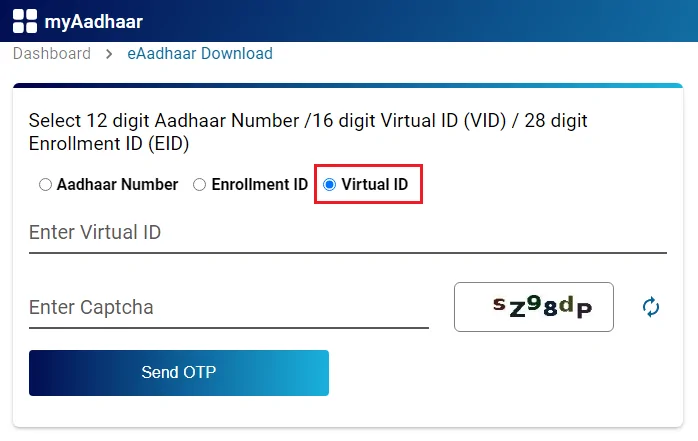
- Fill in the captcha code.
- Click on Send OTP.
- Enter the OTP received on your registered mobile number.
- Complete verification and download your e-Aadhaar PDF.
Download Aadhaar Using the mAadhaar App
The mAadhaar app is an official mobile application provided by UIDAI. It allows users to access supported Aadhaar services through their smartphones.
Follow these steps:
- Download the official mAadhaar app from Google Play.
- Open the application and select your preferred language.
- Register your profile using the mobile number linked with Aadhaar.
- Complete mobile verification using the OTP.
- Open the available Aadhaar services.
- Select the relevant option to access your Aadhaar details.
The available services and download options may depend on the app version and user verification.
Download Aadhaar Through DigiLocker
DigiLocker is a government platform that allows citizens to access and store digital documents. You can use it to access Aadhaar issued through UIDAI.
Here is how to access your Aadhaar through DigiLocker:
- Visit the official DigiLocker website.
- Sign in to your DigiLocker account or create a new account.
- Open the Search Documents section.
- Search for Aadhaar and select the UIDAI-issued document.
- Enter the required Aadhaar details and complete OTP verification.
- Once the document is issued, open it from the Issued Documents section.
You can view and download the digitally issued document from your DigiLocker account.
How to Print Downloaded Aadhaar PDF?
After you Download Aadhaar, you can print a physical copy whenever required.
- Open the downloaded e-Aadhaar PDF using a PDF reader.
- Enter the password using the first four letters of your name in capital letters and your birth year.
- Open the document and check your details.
- Select the Print option.
- Choose the required paper size and number of copies.
- Click Print to get your Aadhaar copy.
Make sure the printed document is clear and all details are readable.
Common Problems While Downloading Aadhaar
Sometimes, users may face problems while downloading e-Aadhaar. Here are some common issues and their possible solutions.
1. OTP Not Received
Check whether your mobile number is registered with Aadhaar. Network problems can also delay OTP delivery. Wait for a few minutes and try again.
2. Incorrect Aadhaar Details
If your name or date of birth is incorrect, you may need to update your Aadhaar details through the available UIDAI services before trying again.
3. Website Not Working
If the UIDAI Portal is not responding, clear your browser cache or try accessing it through another browser. You can also try again after some time.
4. Unable to Open Aadhaar PDF
The e-Aadhaar PDF is password-protected. Enter the first four letters of your name in capital letters, followed by your birth year.
5. Still Facing Problems?
For assistance, contact the UIDAI helpline at 1947 or visit the official UIDAI website for support.
Conclusion
You can Download Aadhaar online through the UIDAI website using your Aadhaar Number, Enrolment ID or Virtual ID. Official platforms such as mAadhaar and DigiLocker also provide access to Aadhaar-related services. Keep your registered mobile number active to complete OTP verification and download your e-Aadhaar securely.