How to Check Aadhaar Card Status Online and Offline?
After applying for a new Aadhaar card or requesting changes to your existing details, you can track the application status to know its progress. The Aadhaar Card status-checking facility allows applicants to check enrolment, update requests and PVC card orders. You can also find out how to retrieve your Enrolment ID if you have misplaced your acknowledgement slip. This guide explains the different ways to check Aadhaar Card Status online, by phone and offline.
How to Check Aadhaar Enrolment Status Online?
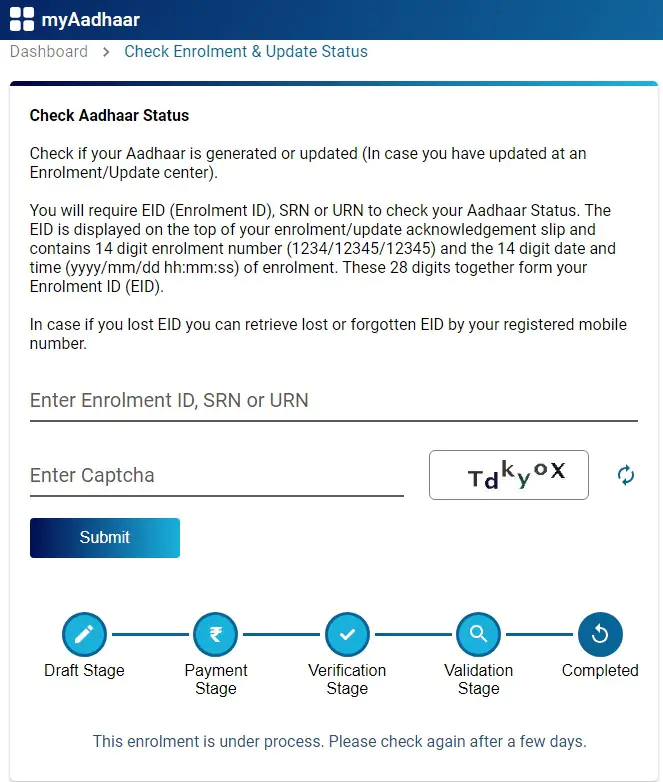
If you have recently applied for an Aadhaar card, you can check its enrolment status using the Enrolment ID (EID) mentioned on your acknowledgement slip. The online Aadhaar Card Status-checking facility is free of charge. Follow these steps:
Step 1: Visit the UIDAI Aadhaar Status page.
Step 2: Enter your 28-digit Enrolment ID (EID), including the date and time mentioned on your acknowledgement slip.
Step 3: Complete the captcha verification and submit the details.
Step 4: Your Aadhaar enrolment status will appear on the screen. Check the displayed information to know whether your application is still being processed or has been completed.
How to Check Aadhaar Status Without Enrolment Number?
If you have lost your Aadhaar Card acknowledgement slip or forgotten your Enrolment ID, you can retrieve the number before checking your application status. You will generally need your name and registered mobile number or email address.
Follow these steps:
Step 1: Open the UIDAI Retrieve EID/UID service.
Step 2: Select the option to retrieve your Enrolment ID (EID).
Step 3: Enter your name and registered mobile number or email address.
Step 4: Complete the security verification and request an OTP.
Step 5: Enter the OTP received on your registered contact details.
Step 6: After successful verification, your Enrolment ID will be sent to your registered mobile number or email address, depending on the selected option.
You can then use the retrieved EID to check your Aadhaar enrolment status.
How to Check Aadhaar Update Status Online?
If you have submitted a request to correct or update your Aadhaar details, you can track its progress online. The Update Request Number (URN) provided after submitting the request is generally required to check the status.
Here is how to check your Aadhaar update status:
Step 1: Visit the UIDAI Aadhaar Status page.
Step 2: Enter your Update Request Number (URN) or the relevant request details as requested on the page.
Step 3: Complete the captcha verification and submit the information.
Step 4: Your Aadhaar update request status will be displayed on the screen.
The time required to process an update may vary depending on the type of correction and verification. You can use the same request details to track its progress.
How to Check Aadhaar PVC Card Order Status?
An Aadhaar PVC Card is a durable, wallet-sized version of your Aadhaar card. If you have placed an order for a PVC card, you can track its progress using the Service Request Number (SRN).
Follow these steps:
Step 1: Visit the UIDAI PVC Card Status page.
Step 2: Enter your Service Request Number (SRN).
Step 3: Complete the captcha verification.
Step 4: Submit the details to view your Aadhaar PVC card order status.
The status displayed will help you check the progress of your PVC card request and its dispatch information.
How to Check Aadhaar Card Status Using Mobile Number?
You can also get information about your Aadhaar enrolment, update request or PVC card order by calling the UIDAI toll-free helpline number 1947.
Follow these steps:
- Dial 1947 from your phone.
- Follow the automated instructions to select the relevant Aadhaar service.
- Choose the option related to enrolment, update or PVC card status.
- Provide the required details, such as your Enrolment ID, URN or SRN.
- Follow the instructions to receive information about your application.
Other Services Available Through the UIDAI Helpline
Apart from checking Aadhaar application status, you can use the helpline number 1947 for several other services, including:
- Finding the nearest Aadhaar Enrolment Centre or Aadhaar Seva Kendra.
- Registering a complaint or checking an existing complaint.
- Getting general information about Aadhaar services.
- Changing the language during the call.
- Connecting with an Aadhaar customer support representative.
How to Check Aadhaar Card Complaint Status?
If you have submitted a complaint regarding an Aadhaar-related issue, you can track its progress using your complaint reference number.
Follow these steps:
Step 1: Visit the UIDAI official website.
Step 2: Open the Contact and Support section and look for the grievance or complaint status option.
Step 3: Enter your complaint reference number and the required verification details.
Step 4: Submit the information to view the current status of your complaint.
Keep your complaint reference number safe, as it may be required for future communication.
How to Check Aadhaar Lock Status?
UIDAI provides an Aadhaar locking facility to help users protect their Aadhaar number from unauthorised authentication. You can check the lock Aadhaar Card Status through the available Aadhaar services.
To check it using the mAadhaar app:
Step 1: Open the mAadhaar app on your mobile phone.
Step 2: Go to the My Aadhaar section and enter your registered app PIN.
Step 3: Check the Aadhaar Lock option to see whether the service is enabled.
If your Aadhaar is locked, you may need to use your Virtual ID (VID) for authentication instead of your Aadhaar number.
How to Check Biometric Lock/Unlock Status?
Aadhaar biometric locking allows users to restrict authentication through their fingerprints and iris details. You can check whether biometric locking is enabled through the available Aadhaar services.
Follow these steps:
Step 1: Open the mAadhaar app and access the My Aadhaar section.
Step 2: Enter your app PIN to continue.
Step 3: Find the Biometric Lock option and check its current status.
If biometric locking is enabled, fingerprint and iris authentication will remain restricted until you unlock the service.
How to Check Aadhaar Bank Linking Status?
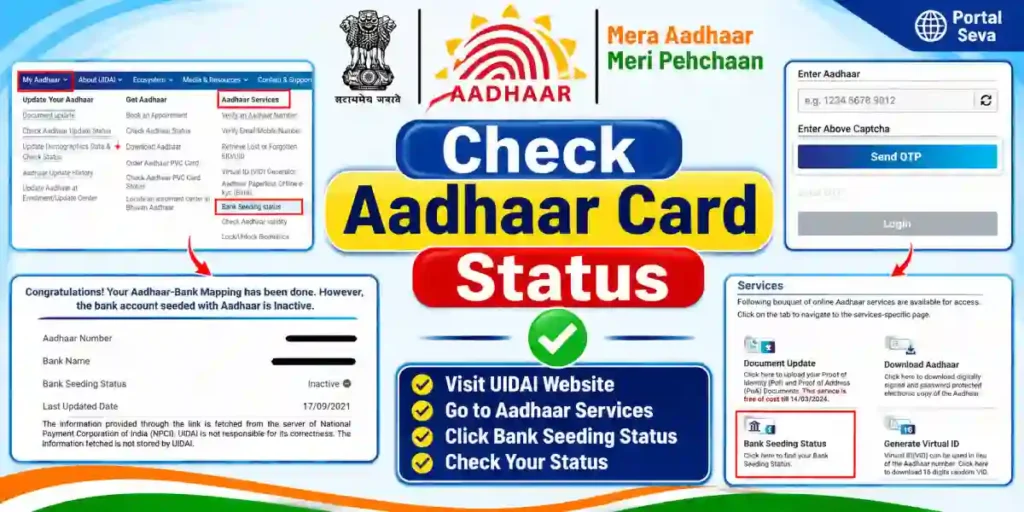
You can check whether your Aadhaar number is linked with your bank account through the Bank Seeding Status service. This facility helps you verify the Aadhaar-bank mapping status available in the system.
Follow these steps:
Step 1: Visit the My Aadhaar portal.
Step 2: Find the Bank Seeding Status option under Aadhaar services.
Step 3: Enter your Aadhaar number and complete the required OTP verification.
Step 4: Open the Bank Seeding Status section to view the available information about your Aadhaar-bank linking status.
Make sure you use your own registered details while accessing this service.
How to Check Aadhaar Card Status Offline?
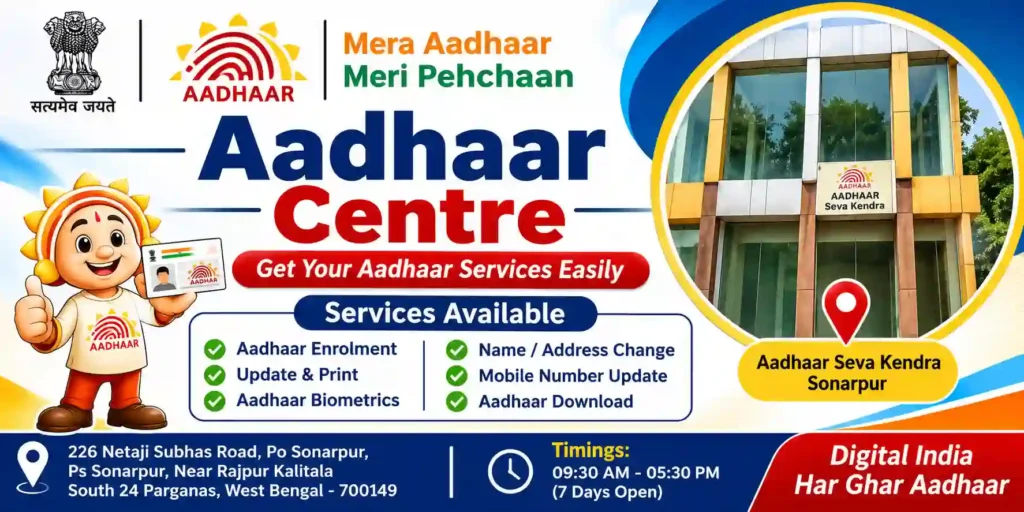
If you cannot check your Aadhaar Card status online, you can visit a nearby Aadhaar Seva Kendra or Aadhaar Enrolment Centre for assistance.
The process depends on the type of application:
- For new enrolment: Carry your Aadhaar acknowledgement slip containing the Enrolment ID (EID).
- For an Aadhaar update: Provide the Update Request Number (URN) received after submitting your correction request.
- For other Aadhaar-related requests: Carry the relevant acknowledgement or service request details.
The centre’s executive can use the available details to help you check the progress of your application.
FAQs on Aadhaar Card Status
You can check your Aadhaar enrolment status online by entering the 28-digit Enrolment ID (EID), including the date and time printed on your acknowledgement slip.
Yes. You can first retrieve your Enrolment ID through the UIDAI Retrieve EID/UID service using your name and registered mobile number or email address.
Visit the Aadhaar status service and enter your Update Request Number (URN) or other details requested on the page to track your update application.
URN stands for Update Request Number. It is provided when you submit an Aadhaar update request and can be used to track its progress.
You can check your PVC card order status through the UIDAI PVC card status service by entering your Service Request Number (SRN) and completing the verification.
You may visit an Aadhaar Enrolment Centre for assistance. If your registered email address is available as a verification option, you may also be able to retrieve your EID through it.
Dial the UIDAI toll-free helpline number 1947 and follow the instructions to get information about your enrolment, update or PVC card request.
The availability of SMS-based status services may vary. You can use the online status facility or contact the UIDAI helpline at 1947 for assistance.
The time required for Aadhaar generation can vary depending on verification and application processing. You should track your enrolment status to know the latest progress.
You cannot directly track an Aadhaar application using only your name and date of birth. You generally need your Enrolment ID and the details mentioned on your acknowledgement slip.
No. Name and PIN code alone are not sufficient to check your Aadhaar application status. You need the relevant enrolment or update request details.
You can check the biometric lock status through the My Aadhaar services available in the mAadhaar app or UIDAI portal.
Your 12-digit Aadhaar number generally remains the same after an update. However, you should download or obtain the updated Aadhaar document to use the corrected details.
Check the reason for rejection and review the details or supporting documents submitted with your application. If required, submit a fresh update request with correct information and valid documents.
Yes. Aadhaar details of a minor can be updated by following the applicable process and providing the required documents.
An Aadhaar update request is generally tracked using the URN or relevant update request details rather than the Aadhaar number alone.
Online Aadhaar services can generally be accessed at any time. However, the working hours of Aadhaar Enrolment Centres may vary, so check the centre’s schedule before visiting.
Check the URN printed on your acknowledgement slip and enter it carefully. If the issue continues, contact UIDAI at 1947 or visit an Aadhaar Enrolment Centre.
Cancellation depends on the request type and its current processing stage. Check the available options for your application or contact UIDAI for assistance.
Eligible applicants can check their enrolment or update status using the relevant acknowledgement details. They can also visit an Aadhaar centre for assistance.
You can use the available UIDAI online services or visit an Aadhaar Enrolment Centre to check your application status. For delivery-related queries, use the relevant postal tracking details if provided.
You can retrieve your Enrolment ID through the registered email address if the service offers that verification option. For application tracking, use the relevant EID, URN or SRN.